
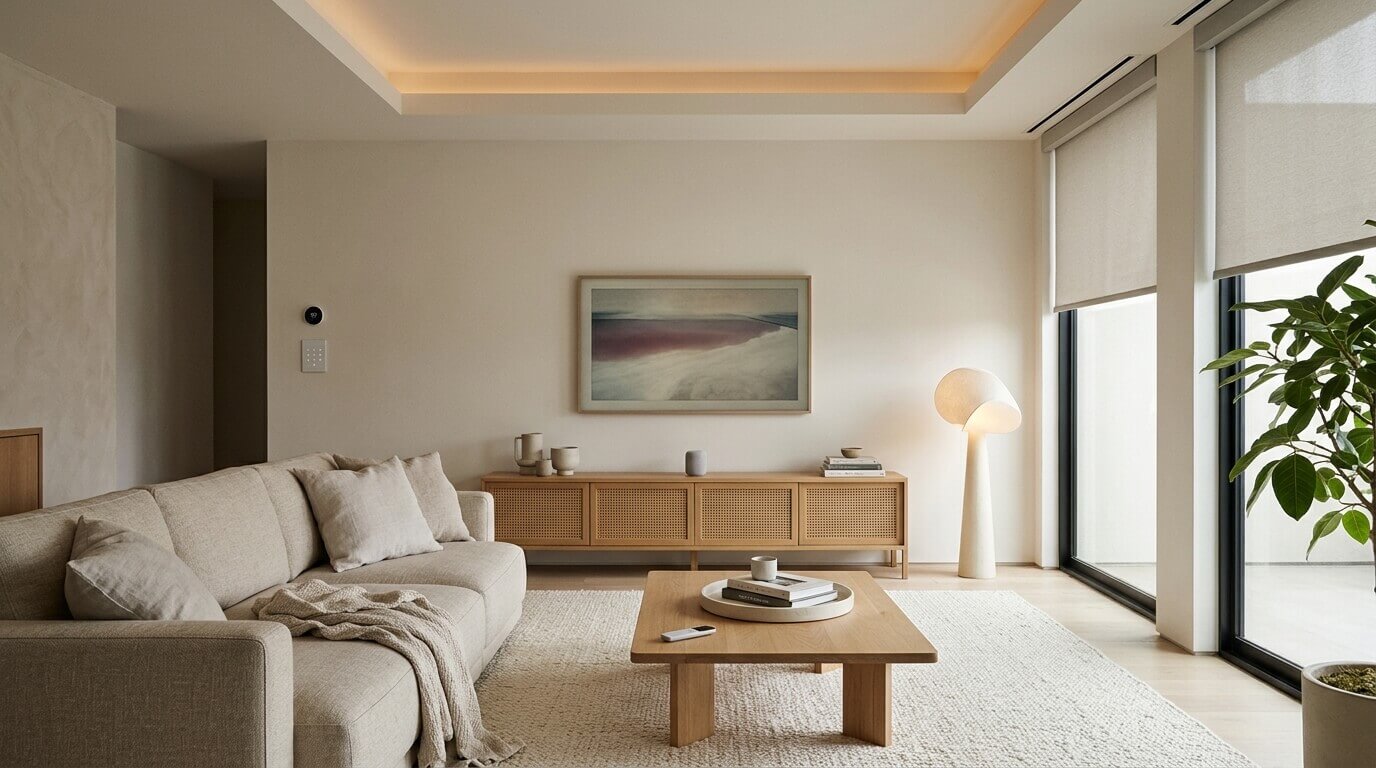
Learning how to make your living room smarter starts with choosing technology that makes everyday life more convenient without adding visual clutter. Smart lighting, automated window coverings, discreet entertainment systems, and thoughtful cable management can improve comfort while preserving the character of your living space.
A living room often serves several purposes, from relaxing and watching television to reading, entertaining guests, or working from home. Introducing connected devices can make these activities easier, but too many gadgets, visible wires, and mismatched controls can make the room feel cluttered.
The key is to focus on practical improvements that fit your existing layout and decor. You do not need to automate every feature or replace all your furniture. A few carefully chosen upgrades can make the room more comfortable, efficient, and easier to manage.
1The Benefits of Integrating Technology Into Your Living Room
Smart home technology can control lighting, temperature, entertainment devices, and selected window coverings through compatible apps, switches, schedules, or voice assistants. The most useful features are those that solve everyday problems rather than simply adding another device to the room.
For example, scheduled lighting can provide a consistent evening routine, while a compatible smart thermostat can help manage heating and cooling according to your household’s needs. Automated curtains or blinds can also make it easier to adjust incoming daylight throughout the day.
A successful setup should complement your interior rather than compete with it. If you are planning a room refresh, these interior design and space optimization ideas can help you balance furniture placement, lighting, storage, and technology.
2Choose Hidden Technology to Reduce Visual Clutter
One way to maintain a calm living room is to keep unnecessary equipment out of sight. Routers, charging cables, entertainment accessories, and device controls can quickly accumulate around televisions and sideboards.
Where practical, choose equipment that can be concealed within existing furniture or integrated into the room’s layout. Wireless charging surfaces, discreet speakers, wall-mounted displays, and compact control hubs may help reduce the number of visible accessories.
Cable management is equally important. Use suitable cable channels, clips, or furniture openings to keep wires organized and away from walkways. If you are considering a wall-mounted television, plan the cable route and power access before installation. Any in-wall electrical work should comply with applicable safety requirements.
A clean entertainment area can also make the rest of the room feel more intentional. Keep frequently used remotes accessible, store spare accessories in a drawer, and avoid filling every shelf with devices.
For more practical ideas, see this guide to hiding cables behind a wall-mounted TV.
3Manage Temperature and Daylight With Smart Window Treatments
Comfort is an important part of a well-designed living room. Sunlight can brighten the space, but strong afternoon exposure may cause glare on screens and increase indoor temperatures. Window treatments provide a practical way to manage both issues.
Installing Motorised Blinds can make adjusting window coverings more convenient. Depending on the model, compatible systems may operate through a remote, wall switch, app, or scheduled automation.
Motorised blinds can be especially useful for windows that are difficult to reach or rooms that receive direct sunlight at predictable times. Some systems can integrate with temperature sensors or other smart home equipment, although compatibility and automation features vary.
The choice of fabric also matters. Light-filtering materials can soften daylight, while blockout options provide greater control over incoming light. Consider the room’s orientation, privacy requirements, and screen placement before choosing a window treatment.
According to the Australian Government’s official guide to residential window efficiency, windows can be a significant source of unwanted heat gain and heat loss. Suitable window coverings may help manage these effects, although the results depend on the window construction, glazing, installation, and type of covering.
4Protect Furniture and Flooring From Sunlight
Natural light can enhance a living room, but prolonged exposure may gradually change the appearance of some interior materials. Upholstery, rugs, artwork, timber flooring, and decorative objects can fade or change colour at different rates.
Automated blinds can help manage exposure by adjusting the amount of direct sunlight entering the room. For example, a schedule can lower the blinds during periods of strong sunlight and raise them later when conditions are more suitable.
However, automation is not a complete solution to sun damage. UV exposure can still occur through some glazing and fabrics, and the effect varies by material. UV-filtering window films, suitable curtains, and furniture placement may provide additional protection where needed.
Consider these practical steps:
- Rotate rugs and movable accessories periodically where appropriate to reduce uneven exposure.
- Position delicate artwork and fabrics away from prolonged direct sunlight.
- Choose window coverings that balance daylight, privacy, and heat control.
- Check that automated settings respond sensibly to seasonal changes and changing sunlight conditions.
These measures can help preserve the appearance of interior finishes without requiring you to keep the curtains closed all day.
5Use Smart Lighting to Create the Right Atmosphere
Smart lighting can make a living room more adaptable because brightness and colour settings can be adjusted to suit different activities. Bright, comfortable light may be useful for reading or cleaning, while softer lighting can create a relaxed atmosphere in the evening.
Before buying smart bulbs or switches, consider how the room is currently illuminated. A single overhead light may not provide enough flexibility for a room used for reading, watching television, and entertaining guests.
A layered approach can combine overhead lighting with floor lamps, table lamps, and accent lights. Smart controls can then adjust compatible fixtures individually or as part of a group.
Useful lighting features include:
- Scheduling: Set lights to switch on or off at particular times.
- Dimming: Adjust brightness to suit the activity and time of day.
- Scene settings: Create saved lighting combinations for reading, watching films, or entertaining.
- Voice or app control: Operate compatible lights without reaching for a wall switch.
For additional guidance on fixture selection and lighting placement, explore this guide to choosing ceiling lighting for different rooms.
Check compatibility before purchasing smart bulbs, dimmers, or switches. Not every LED fixture works with every dimmer, and some smart bulbs need a continuously powered fitting to remain connected.
6Choose Smart Devices That Fit Your Daily Routine
It is easy to add more technology than a living room actually needs. Before buying a new device, identify the task it is intended to simplify and consider whether you will use the feature regularly.
For example, a smart speaker may be useful for controlling compatible lights and playing music. A smart thermostat may be valuable if it supports your heating or cooling system. Automated blinds may be worthwhile if you regularly adjust several windows throughout the day.
Consider the following questions before making a purchase:
- Does the device solve a recurring problem?
- Can it work with the smart home system you already use?
- Will it require a separate app, hub, subscription, or ongoing maintenance?
- Can you still operate it manually if the internet connection fails?
- Does its appearance suit the room’s furniture and finishes?
A small collection of compatible devices is often easier to manage than a large collection of products that operate independently. Prioritize reliability, ease of use, and practical value over the number of available features.
7Keep Smart Technology Safe and Easy to Maintain
Connected devices need attention after installation. Software updates, secure account settings, and sensible network practices can help reduce avoidable problems.
Use strong, unique passwords for device accounts, enable additional authentication where available, and install firmware updates according to the manufacturer’s recommendations. Review app permissions and check whether devices continue to receive security support.
Physical safety also matters. Keep charging cables away from walkways, avoid overloading power outlets, and follow the manufacturer’s instructions for mounting and ventilation. Ensure that window coverings and their operating mechanisms are appropriate for the household, particularly where young children are present.
If you rent your home, check the terms of your agreement before drilling walls, replacing switches, or making permanent changes. Portable smart bulbs, plug-in lamps, and removable cable organizers may offer a simpler starting point.
8Make Smart Technology Part of Your Interior Design
Technology tends to look more integrated when its placement, finishes, and proportions work with the rest of the room. A dark device may stand out against a light wall, while a compact speaker that matches the furniture may blend in more naturally.
Think about where devices will be used, where their cables will run, and whether they will interrupt the room’s visual balance. Avoid placing every control unit on the same surface or allowing chargers and accessories to accumulate around seating areas.
Storage can help keep everyday technology organized. A sideboard with suitable cable access can hold entertainment equipment, while drawers or small containers can keep spare remotes and charging accessories together. Choose furniture that provides adequate ventilation for equipment that generates heat.
The overall goal is to make the technology convenient without making it the main feature of the room. A few coordinated choices can help preserve a warm and comfortable atmosphere.
Conclusion
Knowing how to make your living room smarter does not require a complete renovation or an expensive collection of connected devices. Smart lighting, motorised blinds, organized cables, and compatible temperature controls can make everyday routines easier while maintaining a cohesive interior.
Start by identifying the tasks that would benefit most from automation. Check compatibility, consider installation and maintenance requirements, and select devices that suit your room’s layout and decor. By focusing on useful features rather than adding technology for its own sake, you can create a living room that feels comfortable, organized, and connected without compromising on style.

